
A conference ends, an exhibition wraps up, or a product launch wraps for the day — and organisers are often left wondering what attendees actually thought. Paper feedback forms get lost in bags, handwriting is hard to read, and manual data entry takes hours that event teams rarely have to spare. This is where digital tools have changed the picture considerably.
Understanding how to use iPads for customer feedback surveys at events has become a practical solution for corporate event planners, exhibition organisers, and marketing teams who need a faster, tidier way to collect attendee opinions. Instead of relying on stacks of paper, feedback can be gathered directly on a touchscreen, organised digitally, and reviewed without the extra step of transcription.
For organisations that only need tablets occasionally, arranging an iPad on rent for the duration of an event — through providers such as IndianRenters — can be more sensible than purchasing devices that will sit unused for the rest of the year. This article walks through how iPads are used for event surveys, how to set them up correctly, what questions to ask, where to place them, and how to make sense of the responses once the event is over.
How Can iPads Be Used for Customer Feedback Surveys at Events?
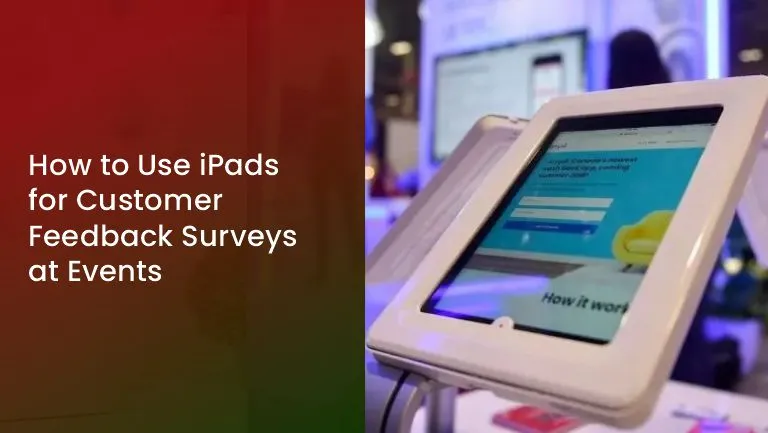
iPads can be used to display digital feedback forms at registration desks, exhibition booths, session exits, and dedicated survey stations, allowing attendees to share their opinions immediately and directly on the device. This replaces printed forms with a simpler, screen-based process.
In practice, this can take several forms. A brand might set up iPads near a product demonstration area so visitors can rate the demo right after watching it. A conference organiser might place tablets at the exit of each session so attendees can quickly score the speaker and content while the experience is fresh. Exhibition stands often use a single iPad as a mini survey kiosk, inviting visitors to answer a handful of questions before or after a conversation with staff.
Consider a company launching a new product at a trade show. Staff might position two or three iPads near the demonstration counter, each showing a short survey about the presentation, the product itself, and the overall booth experience. Once attendees tap through the questions, responses are collected within the survey platform, and the event team can review them later without sorting through paper. This does not guarantee higher response numbers or better-quality answers on its own — that still depends on how the survey is designed and presented — but it does remove several of the manual steps that slow feedback collection down.
Why Should Event Organisers Use iPads for Feedback Collection?
Event organisers often turn to iPads because they offer a more convenient feedback experience than paper forms, without the extra administrative work of manual entry. Responses are stored digitally from the start, which can make them easier to organise once the event concludes.
Beyond convenience, there are a few practical reasons this approach appeals to event teams:
- Printed forms are reduced, along with related printing and storage costs.
- Multiple stations can run the same or different surveys with a consistent layout and experience.
- Questions can be adjusted for different sessions, audiences, or booths without reprinting anything.
- Depending on the survey platform and internet connectivity at the venue, responses may be reviewed shortly after collection rather than after manual sorting.
- Cutting down on paper use may also align with an organisation’s sustainability goals.
It’s worth being clear that none of this happens automatically. How quickly responses are compiled, how accurate the data turns out to be, and how useful the resulting insights are will depend heavily on the survey software chosen, the venue’s connectivity, and how well the questions were designed in the first place. iPads simplify the collection process — they do not replace thoughtful survey planning.
How Should Businesses Set Up iPads for Event Surveys?
Choose the Right Survey Platform
The survey tool matters as much as the device itself. A suitable platform typically supports simple, touchscreen-friendly questionnaires with clear multiple-choice options and rating scales, along with a reasonable way to export or review the data afterward. Some platforms also offer offline functionality, which can be useful at venues with unreliable Wi-Fi, though this depends on the specific tool and how it has been configured. No single platform suits every event, so it’s worth testing a few options against the specific needs of the survey before committing.
Prepare and Configure the iPads
Before the event, the survey should be tested thoroughly on the actual devices being used. Common preparation steps include:
- Opening the survey form directly on the tablet so attendees don’t need to search for it.
- Using guided access or a similar kiosk-style setting, where supported, so attendees can’t wander into other apps or settings.
- Making sure each device is fully charged, with charging cables or backup power on hand for longer events.
- Securing the iPads on stands or mounts so they stay in place and are less likely to be misplaced.
- Testing Wi-Fi or offline survey functionality ahead of time rather than on the day itself.
- Considering attendee privacy by limiting access to anything beyond the survey itself.
Not every feature mentioned above is available on every device or software combination — this depends on the iPad model, the operating system version, and the survey tool being used, so it’s worth confirming compatibility in advance.
Position the Feedback Stations
Stations should be easy to find and easy to use without disrupting foot traffic. Registration areas, exhibition booths, session exits, and refreshment zones are common choices, provided they don’t create congestion.
What Questions Should Be Included in an Event Feedback Survey?
A good event feedback survey usually covers a handful of core areas: overall satisfaction, quality of the presentations or demonstrations, event organisation, staff helpfulness, and impressions of the product or brand. It should also leave room for open-ended suggestions.
Sample questions might include:
- How would you rate the overall event experience?
- How satisfied were attendees with the event organisation?
- Which session or activity was most useful?
- How would attendees rate the assistance provided by staff?
- What could be improved for future events?
Keeping the language simple and the rating scales consistent makes the survey easier to complete. Most event feedback surveys work well with somewhere around three to seven questions when the goal is a quick read on attendee sentiment, though the right length always depends on the event format, the audience, and what the organiser actually needs to learn. Leading questions, unnecessary personal data requests, and questions unrelated to the survey’s purpose are best avoided, since they tend to reduce completion rates and add little value.
Where Should iPads Be Placed at an Event for Better Survey Participation?
Placement has a real effect on how many attendees notice and use a survey station, though it’s not the only factor. Common, effective locations include registration and welcome desks, exhibition and brand activation booths, conference room exits, product demonstration areas, and dedicated feedback counters.
A few practical placement guidelines apply across most events:
- Clear signage helps attendees recognise the station as a feedback point rather than another exhibit.
- Tablet stands should be at a comfortable height and angle for quick interaction.
- Instructions on the screen should be short and easy to read at a glance.
- Stations shouldn’t block walkways or create bottlenecks near popular areas.
- Staff nearby can offer a quick nudge or explanation without pressuring attendees to participate.
A conference organiser, for example, might place small feedback stations just outside each breakout room so attendees can rate that specific session while it’s still fresh, rather than trying to recall it later during a single end-of-day survey. No particular location guarantees a certain number of responses — visibility, timing, and how busy the event is all play a role too.
Should Event Organisers Rent iPads for Customer Feedback Surveys?
Renting iPads tends to make sense for one-off or infrequent events, such as one-day conferences, seasonal exhibitions, product launches, or short promotional campaigns, where purchasing devices outright would mean they sit idle for most of the year. For organisations without a regular need for tablets, arranging an ipad on rent for the specific dates of an event avoids that unnecessary investment.
Before confirming a rental, it helps to think through the rental duration, the number of devices needed for the planned survey stations, the specific iPad models required, delivery arrangements, any accessories such as stands or charging cables, and the overall cost involved. Standard iPads are usually sufficient for straightforward digital surveys with basic rating scales and short-answer fields. Larger displays or more advanced processing may only be worth considering for premium setups — for instance, a flagship product launch with an interactive presentation alongside the survey. In such cases, event teams sometimes look at an iPad Pro rental option for a more polished feedback station, though this isn’t a requirement for ordinary event surveys.
How Can Event Teams Improve Survey Response Rates?
Response rates tend to improve when surveys are short, clearly presented, and easy to reach without disrupting the attendee’s day. A few practical steps event teams can take include:
- Keeping the survey brief and directly relevant to the event.
- Using plain, unambiguous instructions on screen.
- Positioning iPads where attendees naturally pass by.
- Asking for feedback at a sensible moment, such as right after a session rather than hours later.
- Briefing staff to mention the survey briefly, without being pushy.
- Using larger text and simple tap-to-select answers so the survey feels quick.
- Offering an optional, clearly communicated incentive where appropriate.
None of these steps guarantees a specific response rate, and incentives in particular don’t automatically produce more thoughtful or useful feedback. Attendee interest, survey length, timing, and how smoothly the event is running all influence participation as well.
How Can Businesses Analyse Feedback Collected Through iPads?
Once responses are collected, the next step is turning them into something useful — reviewing satisfaction scores, spotting recurring concerns, and reading through open-ended comments for patterns. Comparing feedback across different sessions or booths, where relevant, can highlight which parts of the event resonated most.
A simple internal summary report, pulling together the key ratings and common themes from written responses, is often enough to guide planning for the next event. Whether this process is quick or time-consuming depends largely on the survey design, the number of responses collected, and how clearly the questions were written in the first place. Many survey platforms offer basic charts or export options, but the depth of reporting and analytics varies by tool, so it’s worth checking what a given platform actually supports before relying on it for detailed analysis.
Why Consider IndianRenters for iPad Rentals at Events?
Businesses exploring temporary iPad rental services in India for event feedback surveys can look into IndianRenters as one option worth reviewing. The company offers iPad rental solutions suited to short-term business requirements, including events, exhibitions, conferences, and promotional activities where purchasing devices outright isn’t practical.
Event teams can explore the number of devices and models that might suit their planned survey stations, based on the scale of the event and how many feedback points are needed. As with any rental arrangement, it’s worth checking rental duration, device availability, pricing, included accessories, delivery arrangements, and support options directly before confirming an order, since these details can vary depending on the specific event requirements.
Readers planning an upcoming event can visit the IndianRenters iPad rental page to review the available options and get in touch with specific requirements.
Conclusion
Digital feedback collection through iPads offers event organisers a more convenient way to gather attendee opinions, cutting down on paper forms and the manual work that comes with them. Getting good results still comes down to the fundamentals: short, well-designed surveys, sensible device placement, accessible instructions, and a survey platform that fits the event’s needs.
For businesses and event teams that only need tablets occasionally, renting can be a more practical route than buying devices outright. IndianRenters offers iPad rental solutions for exactly these kinds of temporary requirements, and reviewing the iPad rental page is a reasonable next step for anyone planning feedback collection at an upcoming event.
FAQs
iPads can display digital survey forms at registration desks, exhibition booths, and session exits, letting attendees answer questions directly on the screen. Responses are stored digitally, removing the need for paper forms and manual data entry after the event.
Various survey platforms support touchscreen-friendly forms with rating scales and multiple-choice questions. The right choice depends on factors like offline functionality, ease of use, and reporting options, so it’s worth comparing a few tools against the event’s specific needs.
This depends on the size of the event, the number of survey stations planned, and expected foot traffic. Smaller events might need just one or two devices, while larger exhibitions or multi-session conferences may require several stations placed at different points.
Yes, renting is often a practical choice for one-day conferences, product launches, or short exhibitions, since it avoids the cost of purchasing devices that won’t be used regularly. Rental duration and device availability should be confirmed with the provider in advance.
Keeping the survey short, placing iPads in convenient and visible locations, and briefing staff to mention the survey briefly all help. Timing also matters — asking for feedback right after a session or demonstration tends to work better than waiting until later.
Conclusion
Digital feedback collection through iPads offers event organisers a more convenient way to gather attendee opinions, cutting down on paper forms and the manual work that comes with them. Getting good results still comes down to the fundamentals: short, well-designed surveys, sensible device placement, accessible instructions, and a survey platform that fits the event’s needs.
For businesses and event teams that only need tablets occasionally, renting can be a more practical route than buying devices outright. IndianRenters offers iPad rental solutions for exactly these kinds of temporary requirements, and reviewing the iPad rental page is a reasonable next step for anyone planning feedback collection at an upcoming event.